Canvas Late Submission Policy: What Actually Happens at 11:59 PM
11:59 means 11:59. Canvas doesn't round up. The rule sounds reasonable until you're the one who hit submit at 12:00 — not an hour late, but the gradebook treats you the same.

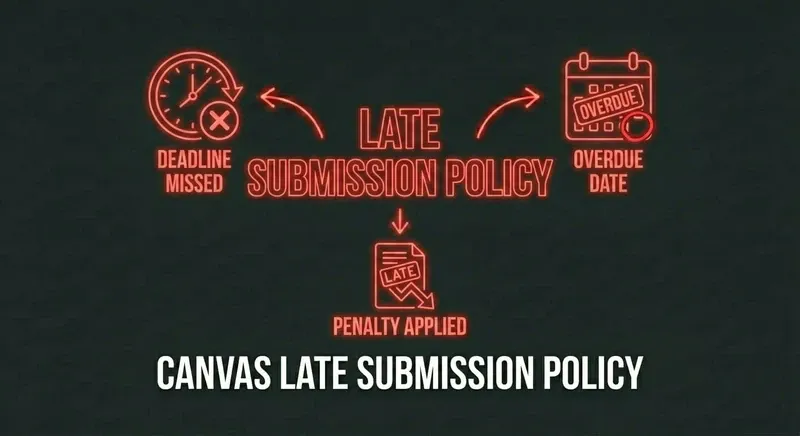
What Canvas does at the deadline
Three things happen the moment a Canvas due date passes, depending on how the instructor configured the assignment:
- Lockout (most common). The submit button stops working. You can't upload, can't type into the answer field, can't click anything. The assignment is closed.
- Late penalty. The submit button still works, but Canvas auto-applies a percentage deduction (often 10% per day late). You get something on the books, just not the full grade.
- "Late" badge only. Submission still goes through at full credit, but the gradebook shows "Late" next to your score. The instructor decides whether that costs you.
Most courses use option 1 or option 2. Option 3 is rare and depends entirely on the instructor's settings.
"Submitted at 12:00, not an hour late"
The most painful version of this: you finished the work, you wrote the answers, you hit submit and Canvas timestamped it 12:00:03 AM. You weren't an hour late. You were three seconds late. Canvas doesn't care. The lockout is binary.
A few realities to absorb:
- There's no built-in grace period. Canvas reads the server clock, not your local clock. If your laptop says 11:58 and the server says 12:00, you're locked out.
- Slow internet at the deadline = late. If your upload starts at 11:59:30 and finishes at 12:00:10, the timestamp is the upload completion. Plan for 60+ seconds of buffer.
- The instructor sees the timestamp. When you email asking for forgiveness, they're looking at "12:00:03 AM" on your row. The case for "I tried" is harder than you think.
Your options after a missed deadline
1. Email the instructor immediately
Within 12 hours. Don't wait until the next class. Subject line: "Late submission — [course] [assignment name]." Body: short, accountable, specific. "Hit submit at 12:00:03. The work is complete. I take full responsibility for the timing — could you accept it for partial credit?" Don't make it about excuses.
Hit rate on this: roughly 50% for a one-time ask with a low-stakes assignment, 20% for a final or major project. Way higher if you've been a visible student in class.
2. Ask in person at the next class
If email doesn't work, ask after class. In-person is harder to brush off. Same script: short, accountable, specific.
3. Submit anyway if option 2 is enabled
If the assignment shows a late-penalty mode rather than full lockout, submit immediately. A 10% penalty is much better than a 0. The penalty usually grows the longer you wait — submitting at 12:30 AM costs less than submitting at 6 PM the next day.
4. Accept the zero and recover
Sometimes the answer is no and the deadline is hard. Take the zero, focus on the rest. One missed homework rarely tanks a course unless the assignment was high-weight.
How to never be in this position again
The math behind the missed deadline is almost always the same: "the assignment took longer than I expected." A homework that should have been 30 minutes turned into 90 because of one question you couldn't crack, then it was 11:30 PM, then it was 11:55, then it was 12:00.
Speed compounds. Every minute saved on questions you don't know is a minute of buffer against the deadline. The students who never miss Canvas deadlines aren't the ones who study harder — they're the ones who don't get stuck.
Stop missing deadlines.
CourseCheetah surfaces the answer on the question itself — every minute saved is buffer against the 11:59 lockout.
Edge cases worth knowing
- Time zones. Canvas uses the institution's time zone, not yours. Studying abroad? Midnight at home is not midnight on the server. Check your account settings.
- Quiz time limits + deadlines. If the deadline is 11:59 and the quiz has a 60-minute timer, starting at 11:30 doesn't get you 60 minutes. The timer dies at 11:59 with the deadline. Always start a timed quiz with at least the timer's worth of buffer.
- Group assignments. The submission is timestamped when any group member submits. If you assume your partner uploaded and they didn't, all of you get zeros.
- SpeedGrader / re-uploads. If the instructor opens SpeedGrader on your blank submission to leave a comment before the deadline, you may be locked out of the field even before midnight. Submit something — anything — early.
The bottom line
Canvas's deadline policy is unforgiving by design. You can negotiate with the instructor, but not with the platform. The fix isn't pleading after the fact — it's not getting stuck on the question that costs you the deadline.