Canvas Browser Extension — AI Study Help | CourseCheetah
Canvas Extension Chrome, Firefox, Edge & Brave

The Canvas Browser Extension Built for Students

Step-by-step AI explanations for your Canvas coursework — in your browser, as you study.

See How It Works
Step-by-step help
AI-Powered
Browser-Based

Understand Your Canvas Quizzes and Assignments

Stuck on a Canvas question? CourseCheetah is the Canvas LMS study extension that explains each question step by step as you study — so you learn the material instead of guessing.

Built for Canvas LMS quizzes and assignments

Available across your Canvas courses

Step-by-step AI explanations

Understand each question, in your browser as you study

Available for Chrome, Firefox, and Edge

Works on all major browsers

Supports all question types and subjects

Multiple choice, fill-in-the-blank, and more

AI-powered reasoning

Clear, step-by-step explanations you can follow

No personal information stored

Your privacy is our priority

Quick Setup

Get the Canvas Extension in Three Steps

From install to your first Canvas explanation

Step 1

Install Extension

Download the CourseCheetah extension. Compatible with Chrome, Firefox, Edge, and Brave browsers.

Install CourseCheetah browser extension illustration
Step 2

Click Explain

Open your Canvas coursework as you normally would and click explain when you want a question broken down.
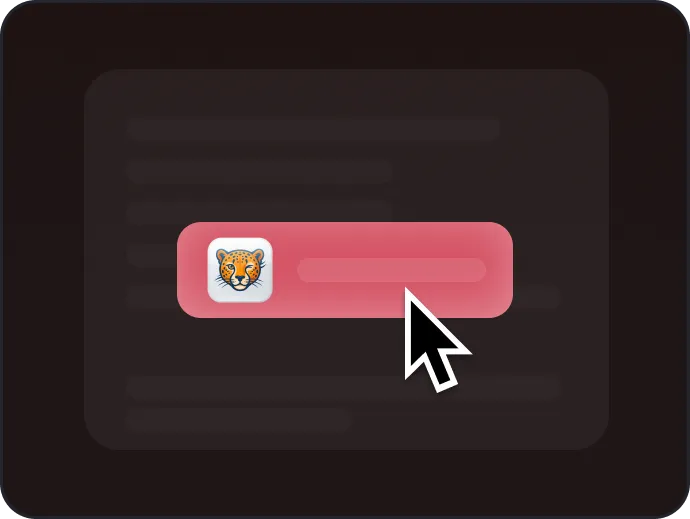
Click explain button illustration
Step 3

Follow the Reasoning

Get a clear, step-by-step explanation so you can work through the question and learn the material.

Step-by-step explanation illustration
Canvas Browser Extension

Why Students Choose CourseCheetah for Canvas

An AI-powered study extension built for Canvas

Built for Canvas LMS

Built specifically for Canvas — works alongside your Canvas courses, from practice quizzes to assignments.

Clear, Step-by-Step Help

Work through each Canvas question with an explanation you can learn from — the reasoning, not just a result.

Every Canvas Question Type

Multiple choice, fill-in-the-blank, true/false, short answer, matching — every Canvas quiz format is supported.

Every Canvas Subject

Math, biology, chemistry, statistics, anatomy & physiology, accounting — works across every Canvas course you take.

Private by Design

Your data stays yours. CourseCheetah runs locally in your browser and doesn't store your Canvas login or personal information.

Easy Installation

No technical knowledge required — just add it to your browser and start studying.

Built for Every Part of Canvas

CourseCheetah covers every Canvas assessment type and every subject your courses throw at you.

Built for Canvas coursework

Students Using CourseCheetah for Canvas

See why students study with CourseCheetah

Nikhil Menon using CourseCheetah browser extension

Nikhil Menon

Biology Student

"Bio has these endless adaptive Canvas modules and CourseCheetah explains them all - multiple choice, fill-in-the-blank, you name it. It's the reason I'm not drowning this semester."

Caleb Yoon using CourseCheetah browser extension

Caleb Yoon

Engineering Student

"Setup was painless and it hasn't hiccuped once. With the course load I'm carrying, having step-by-step help when I'm stuck has been a real relief. Tell your friends."

Anais Perrin using CourseCheetah browser extension

Anais Perrin

Business Major

"I lean on it across all my business classes. Whether it's an accounting problem set or marketing review on Canvas, it explains things clearly and keeps me on track."

Dominic Ashford using CourseCheetah browser extension

Dominic Ashford

Pre-Med Student

"Pre-med schedule, zero spare time. This has been a genuine lifesaver for understanding the chemistry and biology adaptive modules in Canvas. Worth it, no question."

Flexible Plans for Every Student

Choose the plan that works best for you

Weekly

$ 9.99 /week

Perfect for short-term use

  • Step-by-step explanations
  • All online assignments
  • No usage limits
  • Cancel anytime
Most Popular

Monthly

$ 24.99 /month

Most flexible option

  • Step-by-step explanations
  • All online assignments
  • No usage limits
  • Cancel anytime
Save 33%

Quarterly

$ 16.66 /month

$49.99 billed quarterly

  • Step-by-step explanations
  • All online assignments
  • No usage limits
  • Cancel anytime
Best Value

Yearly

$ 8.33 /month

$99.99 billed annually

Save 67%

  • Step-by-step explanations
  • All online assignments
  • No usage limits
  • Cancel anytime
Supported Subjects

Works Across All Subjects

Get step-by-step help for your assignments in any subject

Common Questions

Frequently Asked Questions

Everything you need to know about CourseCheetah

Yes. CourseCheetah runs entirely within your browser, doesn't store your Canvas login or personal data, and is independent from Instructure. Both are designed in from the start.

CourseCheetah works on Chrome, Firefox, Edge, Brave, and other Chromium-based browsers. It's available whenever you open Canvas LMS in a supported browser.

CourseCheetah is built specifically for Canvas LMS coursework — practice quizzes, review material, homework, and assignments — and for studying ahead of tests and exams. It supports multiple choice, fill-in-the-blank, true/false, short answer, matching, and other Canvas question formats.

No. CourseCheetah runs in your browser as a study aid — it doesn't modify your Canvas account, grades, or submissions. It shows a step-by-step explanation of the question you're studying; you do your own work.

CourseCheetah covers math, biology, chemistry, statistics, anatomy & physiology, accounting, and virtually every other Canvas course subject.

CourseCheetah uses advanced AI to give clear, step-by-step reasoning across Canvas question types. We recommend using it as a study aid alongside your regular coursework for the best learning outcomes.

Add CourseCheetah to your browser, open your Canvas coursework, and start getting step-by-step help as you study.

Ready to Install CourseCheetah?

Add CourseCheetah and get clear, step-by-step explanations across your Canvas coursework.

Simple setup
Cancel anytime
Works across every subject