Comparisons
April 25, 2026 • 9 min read
Best Canvas Cheating Extensions in 2026, Ranked
Eight Canvas extensions students actually use, ranked by speed, stealth, image support, and price.
 David Miller
 Honest deep-dives on Canvas LMS — what the quiz log actually records, what your professor really sees, and how to get through coursework without leaving a trail.
Eight Canvas extensions students actually use, ranked by speed, stealth, image support, and price.
David Miller 
Tighter list — only the tools that actually solve Canvas quizzes.
David Miller 
Canvas itself has no AI detector. Some institutions add Turnitin or GPTZero — and those are wildly unreliable. The real risk isn't the detector.
David Miller 
What Canvas actually sees — and what it doesn't. Tab switching, copy-paste, ChatGPT, AI detectors, the quiz log, and proctoring layers, in plain English.
David Miller 
Canvas itself doesn't natively flag copy-paste — but the timing pattern around pasted text often gives it away. Here's what actually happens.
David Miller 
Yes. They have a built-in tool for it: the Canvas quiz log. Every tab switch becomes a timestamped "stopped viewing" event.
David Miller 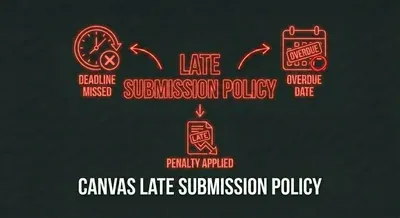
11:59 means 11:59. Canvas doesn't round up. What you can do, and how to never be in this position again.
David Miller 
Six MC patterns that signal the correct answer when you don't know it cold.
David Miller 
Every event the Canvas quiz log records, what each one means, and what your professor sees when they pull yours.
David Miller 
Pacing, structure, distractor recognition. Each tactic improves your score without studying more.
David Miller 
First-party review with the disclosure up front. Pros, cons, who it's for, who it isn't.
David Miller 
Built-in Canvas reading vs manual screenshots. The screenshot tax adds up.
David Miller 
Stealth marketing vs Canvas-native. When each one is the right call.
David Miller 
CanvasHack hides the symptom. CourseCheetah removes the cause. Side-by-side comparison.
David Miller 
The closest direct competitor. Where each pulls ahead.
David Miller 
Free 5-per-day vs unlimited Canvas-native. When each is the right call.
David Miller 
Different mental models. Different conversion mechanics for Canvas quizzes.
David Miller 
The short version: Canvas writes a "stopped viewing the quiz" event every time you switch away. Here's what triggers it and what doesn't.
David Miller 
Yes — in three places. Here's exactly what timing data your professor sees, and the patterns that flag students.
David Miller 
From 60 seconds per question to 5. How to compress every step.
David Miller 
Five methods, ranked by what gets students caught. The fifth one is the only one that doesn't.
David Miller 
Six tactics for when you're out of time. The structural shortcut at the end is the real one.
David Miller 
The obvious way (alt-tab) gets you caught. Three approaches that don't.
David Miller 
No — but for reasons that matter. CourseCheetah avoids detection by avoiding the behaviors that get students caught.
David Miller Join thousands of students who use CourseCheetah to improve their understanding and academic performance.